InNav1.1.2
Publisher Description
Indoor location solution
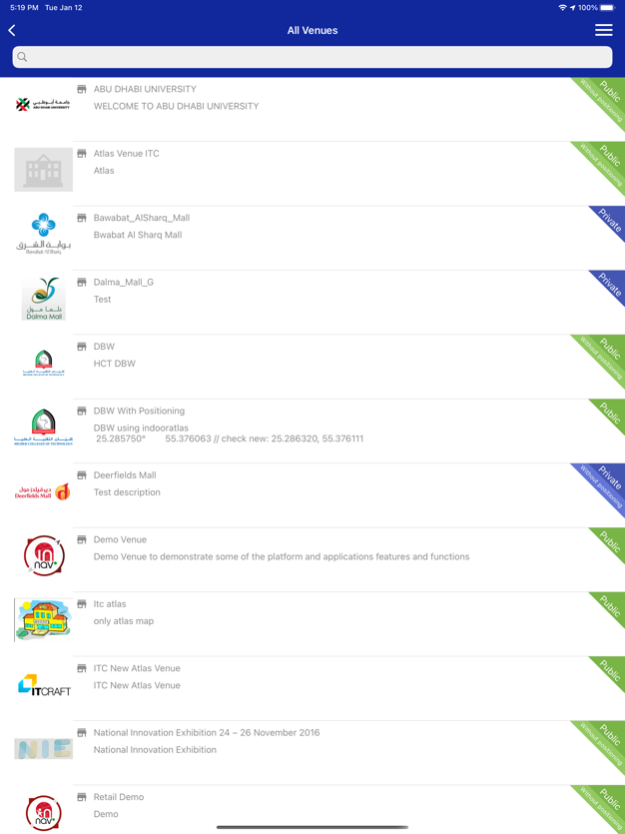
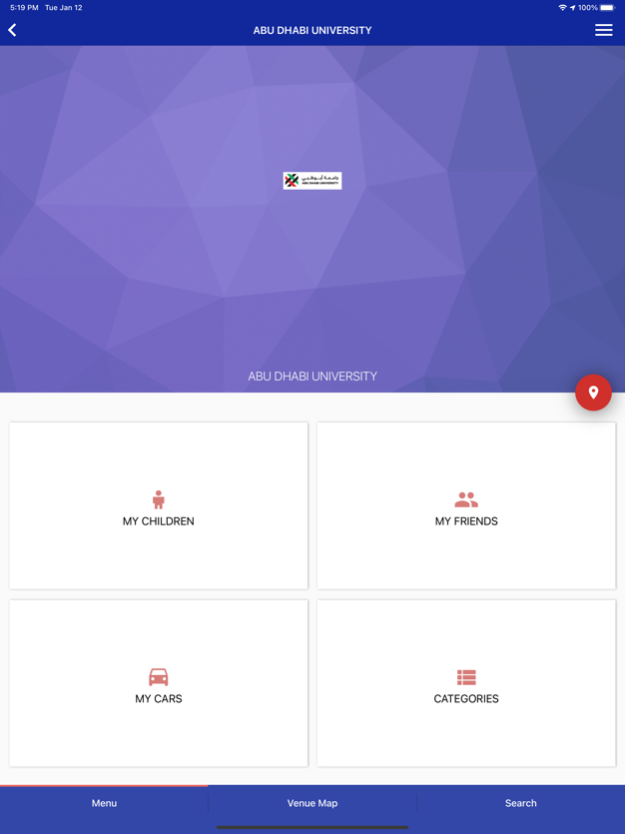
This mobile application has the following functions that work for the participating venues with Smart Navigation System :
• One mobile application that works for all types of participating public venues such as shopping malls, exhibitions, museums, airports, universities and airports
• Displaying the nearest participating venue with distance
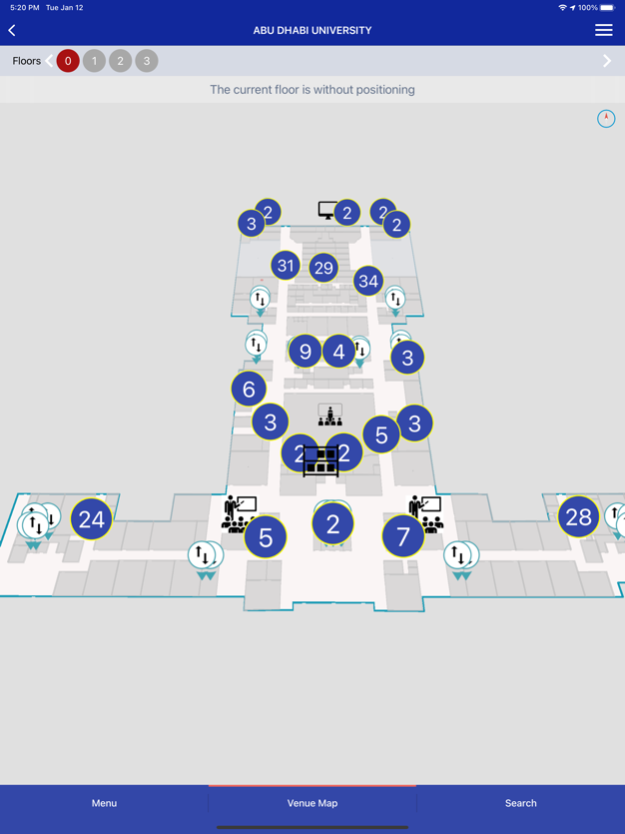
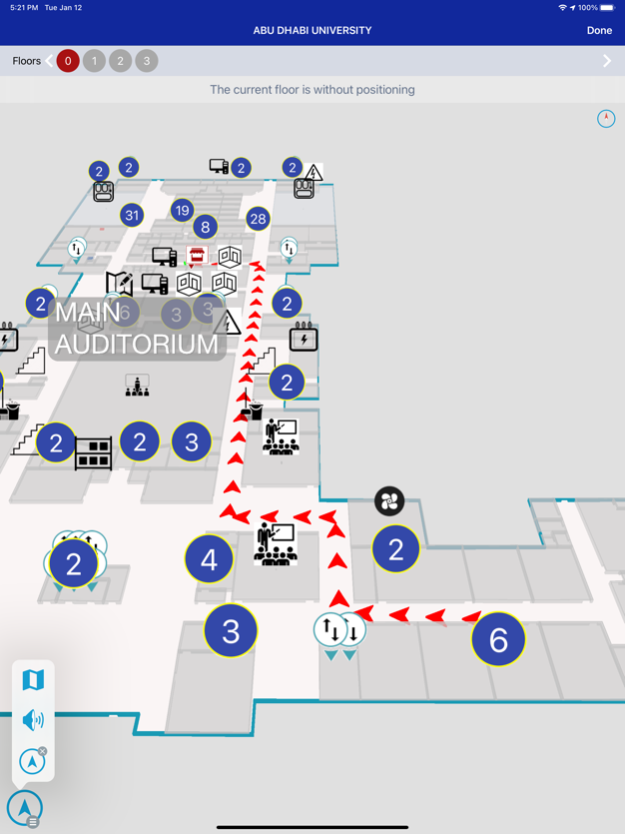
• 2D & 3D maps with smart functionalities
• Supporting multi language ( Currently supports English and Arabic )
• Search functionality by venue, type, category, facilities , brands and products
For the participating venues that are enabled with indoor positioning engine technology the application provides the additional following functions:
• Multi-floors indoor positioning and navigation with voice guidance and distance to the destination points
• Seamless outdoor to indoor navigation with voice guidance
• Saving car parking location and navigating back with routing
• Finding friends (with their permission) and navigating to their location
• Tracking children location through the specialized application loaded in their mobile phones
InNav - Smart Indoor Navigation System https://youtu.be/P10wRX9yCuE
Continued use of GPS running in the background can dramatically decrease battery life.
Feb 16, 2021
Version 1.1.2
Updated to the new Xcode and iOS versions
About InNav
The company that develops InNav is Mustafa Almusawa. The latest version released by its developer is 1.1.2.
To install InNav on your iOS device, just click the green Continue To App button above to start the installation process. The app is listed on our website since 2021-02-16 and was downloaded 8 times. We have already checked if the download link is safe, however for your own protection we recommend that you scan the downloaded app with your antivirus. Your antivirus may detect the InNav as malware if the download link is broken.
How to install InNav on your iOS device:
- Click on the Continue To App button on our website. This will redirect you to the App Store.
- Once the InNav is shown in the iTunes listing of your iOS device, you can start its download and installation. Tap on the GET button to the right of the app to start downloading it.
- If you are not logged-in the iOS appstore app, you'll be prompted for your your Apple ID and/or password.
- After InNav is downloaded, you'll see an INSTALL button to the right. Tap on it to start the actual installation of the iOS app.
- Once installation is finished you can tap on the OPEN button to start it. Its icon will also be added to your device home screen.
Program Details
System requirements
Download information
Pricing
Version History
version 1.1.2
posted on 2021-02-16
Feb 16, 2021 Version 1.1.2
Updated to the new Xcode and iOS versions
version 1.1.1
posted on 2017-12-22
Dec 22, 2017 Version 1.1.1
- Added the ability to scan QR codes to navigate to a particular facility or product. You can scan QR codes either in the Navigate section of the app or with other QR scanning apps, using the native iOS camera (iOS 11).
- Alternative navigation option is the ability to be directed to a facility or a product by tapping the link in the email.
version 1.1.1
posted on 2017-12-22
22 Dec 2017 Version 1.1.1
- Added the ability to scan QR codes to navigate to a particular facility or product. You can scan QR codes either in the Navigate section of the app or with other QR scanning apps, using the native iOS camera (iOS 11).
- Alternative navigation option is the ability to be directed to a facility or a product by tapping the link in the email.
version 1.0.2
posted on 2016-07-13
version 1.1.1
posted on 1970-01-01
2017年12月22日 Version 1.1.1
- Added the ability to scan QR codes to navigate to a particular facility or product. You can scan QR codes either in the Navigate section of the app or with other QR scanning apps, using the native iOS camera (iOS 11).
- Alternative navigation option is the ability to be directed to a facility or a product by tapping the link in the email.
version 1.1.1
posted on 1970-01-01
2017년 12월 22일 Version 1.1.1
- Added the ability to scan QR codes to navigate to a particular facility or product. You can scan QR codes either in the Navigate section of the app or with other QR scanning apps, using the native iOS camera (iOS 11).
- Alternative navigation option is the ability to be directed to a facility or a product by tapping the link in the email.
